01
Text translation
Type it. Paste it.
Understand it.
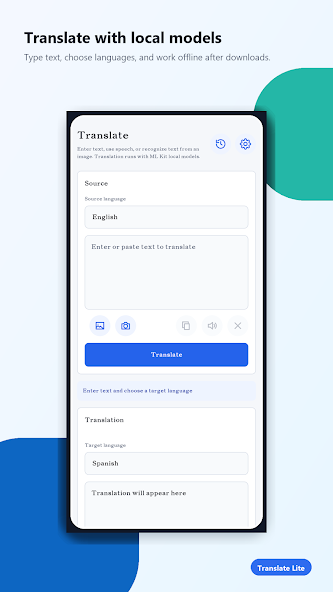
Choose source and target languages, then translate everyday text with a focused, distraction-free flow.
On-device translation for Android
Translate text and images with local ML Kit models. Built for daily conversations, travel, and the moments when you simply need to understand something fast.
One app, less friction
From a pasted phrase to a train-station sign, Translate Lite keeps the path from text to meaning short and simple.
Text translation
Choose source and target languages, then translate everyday text with a focused, distraction-free flow.
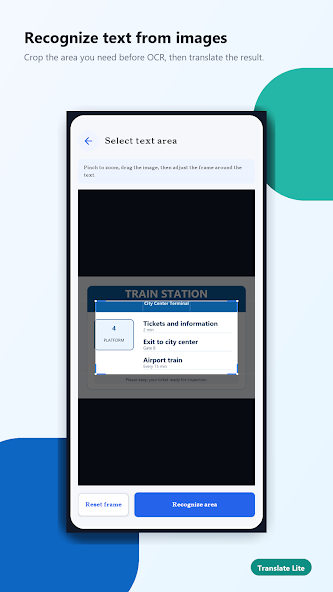
Image text recognition
Crop an image, recognize the text, and translate the result in a few taps.
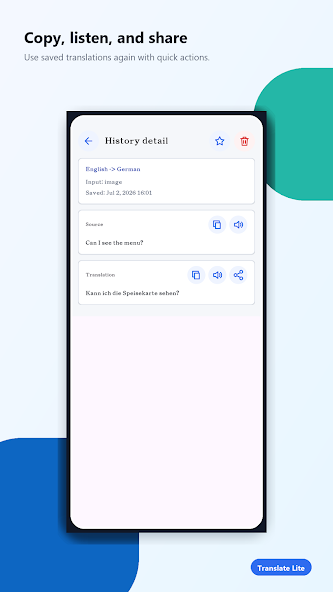
Quick actions
Copy, listen to, or share a result without repeating the work.
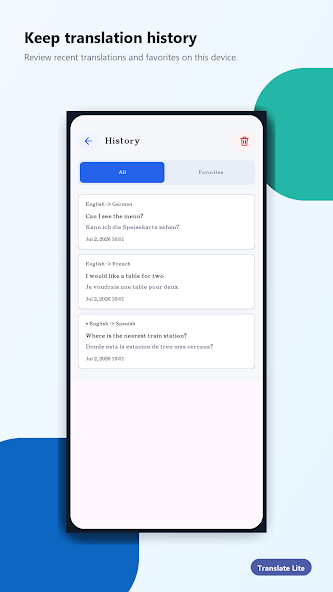
History & favorites
Save important translations and revisit recent phrases right on your device.
How it works
Three small steps, whether the words are in a message, a menu, or a photo.
Type or paste a phrase, use voice input, or select text from an image.
Pick the language you want and let the downloaded ML Kit model do the work.
Copy, hear, share, save, or favorite the translation for later.
* Voice input is available only for supported devices and languages on Android 12 (API 31) and later.
Inside the app
Local by design
Once the required ML Kit language models are downloaded, translation runs on your device—so it can keep working when your connection cannot.
Wherever words find you
Messages, notes, and short phrases—translated without a complicated workflow.
Read signs, menus, tickets, and useful phrases while you are on the move.
Capture unfamiliar text in an image and get to the meaning sooner.
Translate Lite for Android
Keep a lightweight translator ready for the words you meet every day.
Google Play